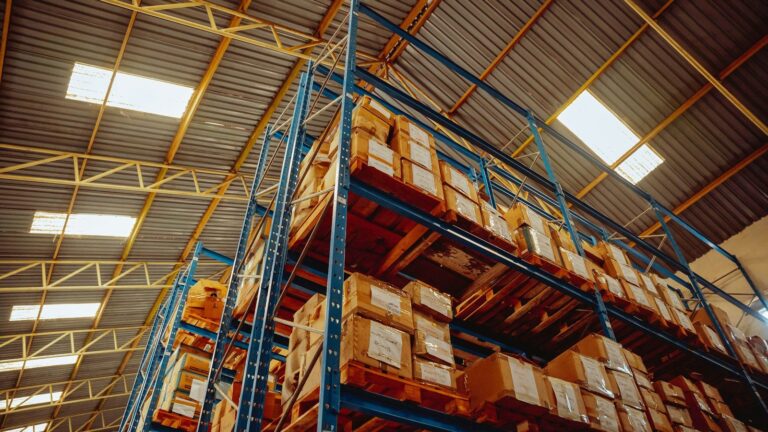
A full stocktake means closing the store or working late, counting everything at once and hoping nobody ships an order halfway through. Many small stores do it once a year, find a long list of differences, adjust the numbers and move on without knowing why they were wrong.
Cycle counting replaces that with small, regular counts. Each day or week you count a few products, compare the result with your system, fix the number and find out what caused the gap. Over a few months every product gets counted, the most important ones more often, and the causes of errors become visible while they are still fresh.
Key takeaways
- Small and regular beats big and rare. Short counts fit around normal work and catch errors sooner.
- Count blind. The counter should not see the expected quantity before counting.
- Count by variant and by location. A product total can hide a missing size or a box in the wrong room.
- Record the reason for every adjustment, so patterns show up over time.
- Fix the process, not just the number. A difference that keeps returning has a cause.
Why stock records drift
Your system tracks stock by adding receipts and subtracting sales. Anything that happens outside those two events makes the record wrong. Common causes in small stores:
| Cause | What it looks like |
|---|---|
| Receiving errors | A delivery booked in at the ordered quantity, not the quantity that arrived |
| Picking errors | The wrong size or color shipped, so one variant is short and another is over |
| Returns | Items put back on the shelf but not back into the system, or the reverse |
| Damage and samples | Stock used for photos, gifts or replacements without being recorded |
| Bundles and kits | Components not deducted correctly when a bundle sells |
| Several channels | A marketplace or in-person sale not synced back to the main inventory |
| Misplaced stock | Units in a second room, a returns bin or the wrong shelf |
| Theft or loss | Rarer in small online stores, but possible in shared spaces |
Each of these leaves a trace. Cycle counting gives you a steady stream of small differences you can trace back while people still remember what happened.
Choosing what to count and how often
The simplest approach is to give every product a count frequency based on how much it matters. An ABC classification does this well: A items are the few products that make up most of your sales value, C items are the long tail. Our guide to ABC analysis for small store inventory explains how to build the classes in a spreadsheet.
A starting schedule, offered as a rule of thumb to adjust:
| Class | Typical share of products | Count frequency | Why |
|---|---|---|---|
| A | Small share, most of sales value | Monthly | Errors here cause stockouts and lost sales quickly |
| B | Middle group | Quarterly | Moderate impact, moderate effort |
| C | Large share, little sales value | Once or twice a year | Low impact; count mainly to keep records honest |
You can add other triggers on top of the schedule:
- Count at zero or near zero. When the system says a variant is out or nearly out, it is the cheapest moment to check, because there is little to count.
- Count after a problem. A customer received the wrong item, or an order could not be picked.
- Count before reordering expensive or slow-moving items, so you do not buy stock you already have.
- Count high-risk items more often: small, valuable, easily confused or often returned.
Working out the daily batch
Add up how many counts the schedule needs over a year and divide by your working days.
A hypothetical store has 400 variants: 40 in class A, 100 in class B and 260 in class C.
| Class | Variants | Counts per year | Total counts |
|---|---|---|---|
| A | 40 | 12 | 480 |
| B | 100 | 4 | 400 |
| C | 260 | 2 | 520 |
| Total | 400 | 1,400 |
Over roughly 250 working days, that is about 6 variant counts a day. For most small stores that is a few minutes of work, which is the point.
Running a count
Before you start
- Print or export a count sheet with SKU, variant, location and an empty quantity column. Leave out the expected quantity, so counters count what they see rather than confirm what they expect.
- Choose a quiet time, such as before orders are picked in the morning or after the last pickup.
- Pause picking of the items being counted, or note any orders picked during the count so you can account for them.
- Check for open receipts and returns. A delivery that has arrived but has not been booked in will look like a surplus.
While counting
- Count every location where the item may be: main shelf, overflow, returns area, packing bench, display or photo stock.
- Count by variant, not by product. Our guide to managing inventory for product variants explains why the variant is the level that matters.
- Count sealed cases carefully. If you trust case quantities, open one now and then to check that a case of 12 really holds 12.
- Write the number down immediately and initial the line.
After counting
Compare the counted quantity with the system quantity at the time of the count, then decide whether to recount.
Handling discrepancies
Not every difference deserves an investigation. Set thresholds in advance so the decision is not made under time pressure.
| Situation | Suggested action |
|---|---|
| Count matches | Record the count date and move on |
| Small difference on a C item | Recount once; if it holds, adjust and note a reason |
| Any difference on an A item | Recount, ideally by someone else, then investigate before adjusting |
| Large difference by value or by units | Recount, check recent orders, receipts and returns, then adjust |
| Same item differs again soon after | Treat as a process problem, not a counting problem |
These thresholds are examples. A difference of two units may be trivial for a cheap accessory and serious for an expensive item.
Where to look
Most differences have an ordinary explanation. Check these, in roughly this order:
- Timing: orders picked or returns restocked during the count.
- Neighbors: a surplus in one size and a shortage in the next is usually a picking or receiving mix-up, not a loss.
- Recent receipts: was the delivery checked against the packing list, or booked in from the purchase order?
- Returns: were returned items restocked in the system and on the shelf?
- Bundles and kits: did component stock move correctly when bundles sold?
- Other channels: did a marketplace, pop-up or in-person sale fail to sync? Our guide to selling from several locations without overselling covers sync problems.
- Unrecorded use: samples, gifts, damaged items or replacements sent to customers.
Recording the adjustment
Every adjustment should have a short reason code. A simple set might be: receiving error, picking error, return not recorded, damaged, sample or gift, bundle error, unknown. After a few months, sort the log by reason. If most adjustments say “receiving error”, the fix is at the receiving bench, not in the counts.
A simple count log
Keep one row per count in a spreadsheet:
| Column | Content |
|---|---|
| Date | When the count happened |
| Counter | Initials |
| SKU and variant | One row per variant |
| Location | Shelf or room |
| System quantity | At the time of the count |
| Counted quantity | Final count after any recount |
| Difference | Counted minus system |
| Value of difference | Difference × unit cost |
| Reason | From your reason codes |
| Follow-up | What was changed to prevent it |
Two numbers are worth watching over time:
- Count accuracy: the share of counts where the system matched the shelf, within your tolerance.
- Value of adjustments: total cost of the differences, up and down, per month.
Neither needs a target on day one. Watch the direction. If accuracy improves after you change the receiving routine, the change worked.
Fixing the causes
Counting finds errors; process changes stop them. Changes that often help in small stores:
- Check deliveries against the packing list and count before booking stock in.
- Label shelves by variant, with sizes and colors in a consistent order.
- Scan or check the SKU at packing, not just at picking. Our guide to the order fulfillment workflow covers packing station routines.
- Give returns their own area and a daily routine for inspecting and restocking them.
- Record samples and gifts with a quick adjustment at the time, not later.
- Keep one source of truth for stock when you sell on several channels.
Accurate records also make the rest of your inventory work more reliable. A reorder point is only useful if the stock figure it compares against is right; see our guide to reorder points and safety stock.
Common mistakes
- Showing the expected quantity on the count sheet.
- Counting while orders are being picked from the same shelf.
- Adjusting the system without recounting large differences.
- Recording adjustments with no reason.
- Counting only the main shelf and missing overflow or returns stock.
- Letting the schedule slip for weeks, then trying to catch up in one long session.
FAQ
Do I still need a full annual stocktake?
It depends on your accounting and tax requirements and on how reliable your cycle counts are. Some businesses can rely on well-documented cycle counts; others are expected to do a full count at year end. Ask your accountant.
How long should a cycle count take?
For a small store, a daily batch should take minutes, not hours. If it takes much longer, the batch is too large or stock is spread across too many locations.
Should the same person always count?
Rotating counters helps. A second person is more likely to spot a habit, such as always skipping the top shelf, and a recount by someone else is a fair check on large differences.
Bottom line
Cycle counting is a few minutes of counting on a schedule, weighted toward the products that matter most. Count blind, by variant and location, at a quiet time. Recount large differences, look for the ordinary explanation first, record a reason for every adjustment, and change the process that keeps causing the same error. The stock figure your store shows customers will be right far more often.